NO UPLOAD BUTTON
Phanfare for the Common Man
 By MIKE PASINI
Editor
The Imaging Resource Digital Photography Newsletter
Review Date: March 2004
We were early adopters of Ofoto (http://www.ofoto.com), delighted to be able to upload a few images to their server and email everyone the link to them so they could see our latest without drumming their fingers. But then the uploads got onerous (we were drumming our fingers) and our enthusiasm for online photo sharing was buoyed up only by our dislike of emailing images.
In our recent Macworld report, we spoke highly of Printroom (http://www.printroom.com) for professionals who want to sell prints without the bother of handling customer service. Last year, at the other end of the spectrum, we reviewed Qurio (http://www.qurio.com), which lets you serve images from your Windows machine for free. And we've occasionally mentioned Funtigo (http://www.funtigo.com) for its flexible Web designs.
But recently we've been using Phanfare (http://www.phanfare.com), yet another innovation to online sharing. Like Printroom, it isn't a free service, but its amenities are not without value. A recent incident illustrated them to full effect.
CASE STUDY | Back to Contents
When it comes to sharing images, we're impatient. We want the event's story told online as quickly and as easily as possible. We've used a variety of online photofinishers and even uploaded application-built (MediaPro, Photoshop) Web pages to our own server space. Nothing quite won us over.
When the Rapp family visited us recently, we knew dialing 911 wouldn't be sufficient. Burning H-E-L-P in the backyard weeds was rather iffy, too. We actually needed to communicate in photos our subjection to the delightful tyranny of three children under the age of 7 to the carefree family members they left behind across the country. Phanfare promised to rescue us with "security and password systems that understand the subtle dynamics of the family album."
Perhaps we misunderstood, but our enthusiasm took over. After establishing an account, we downloaded the Windows-only application. A Mac version is on the drawing board, but don't hold your breath. The technology is fairly sophisticated (well, it was developed by a couple of Stanford grads) and translating it to OS X is going to take a while.
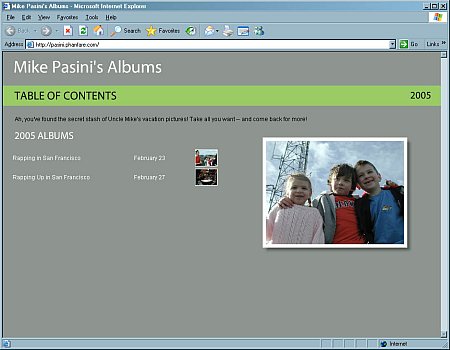 |
| Our Albums on the Web Two albums with key images, plus a larger image |
The good news, however, is that no matter what browser your friends and family use, they can see your work (unlike, say, Qurio). We needed to reach the widest possible audience, so that was a big plus.
 |
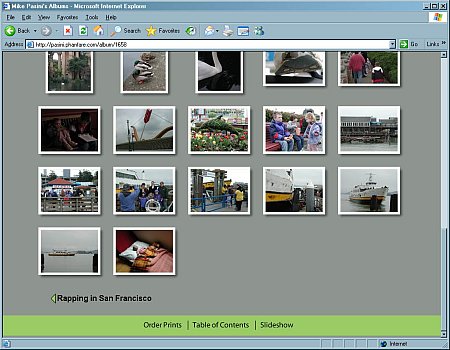 |
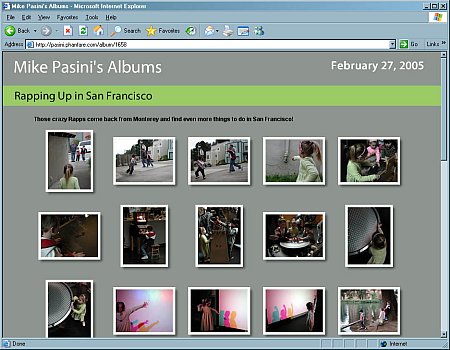
| Our Album on the Web The view from Explorer |
And we weren't disappointed. We never had to upload an image, but the Phanfare server had our full-resolution originals organized into albums, each with their own Web page and automatic slide show. And, of course, prints were easy to order (through Shutterfly) by anyone in our address book we had invited to see the album.
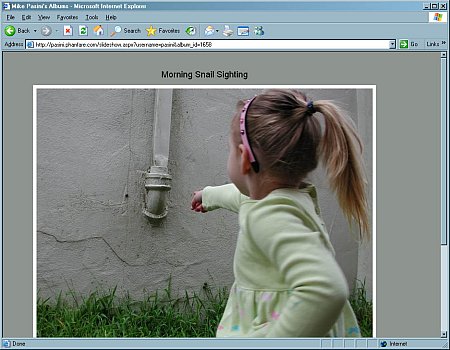 |
| Web-based Slide Show The images are large enough to display a tiny snail |
All we really did was import our images, organize them into albums, retouch a few (red-eye, underexposure, rotation mainly), write a few witty captions spiced with the charm of an unexpected typo and fire off an email pleading for aid. Which, we think, is about as streamlined as it gets. Particularly since we did all that without leaving Phanfare Photo, the application program.
How do they do it?
HOW THEY DO IT | Back to Contents
Well, it's simple really. The Phanfare folks realize it takes longer to write a caption than to upload a photo. So while we were scratching our head over just what to say about an image, it was being sent to the server. Everything you import into a Phanfare album gets uploaded while you are busy scratching your head.
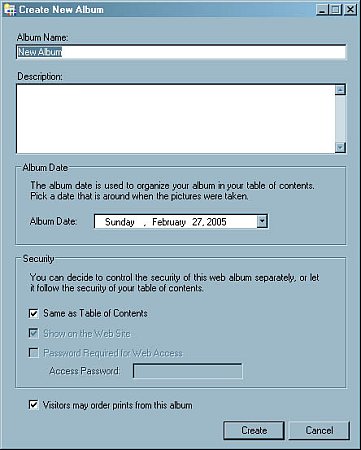 |
| Create a New Album Enter the basics then import ... |
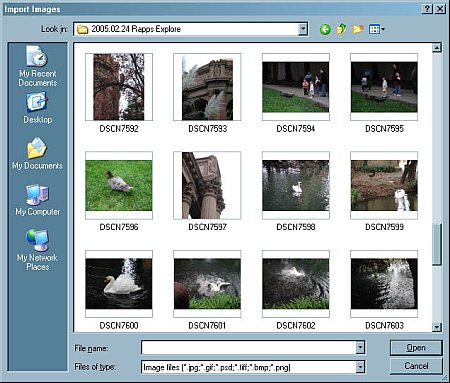 |
| Importing Images Just select and open any of these thumbnails of images on our CD |
You don't have to select a bunch of filenames and push them up to the server by pressing some Upload button. There isn't one. Phanfare is smart enough to know it has a delivery to make and it makes it in the background. A small status message at the bottom of the window is your only clue that something is going on.
We liked that very much. You'd think everybody would do it that way.
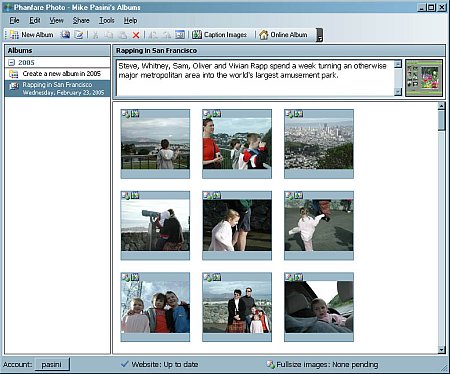 |
| Phanfare Photo Main Screen With our first images imported |
Your full-resolution images are resized on your computer to 700 pixels in the longest dimension (and moved to the server before the full-sized images so your Web page is updated first). That's a good bit larger than most services scale images viewed on the Web. Phanfare doesn't mind the extra bandwidth or even providing printable quality because you're paying for it, not them. If you turn on album printing, the full-resolution image, not just the 700-pixel Web image can be downloaded. That's one of the benefits of paying for a service.
Another is that neither you nor your audience sees a Phanfare logo. Your subsite is username.phanfare.com (or your own domain). But there's no branding and no advertising either. Nor any marketing email to your address book. You paid for the service.
How much? Well, when Phanfare added the capability to upload AVI, MPEG and QuickTime video in April 2005, they increased the annual fee from $29.95 to $54.95, with a monthly rate of $6.95. They also extended the original price for two years to existing customers.
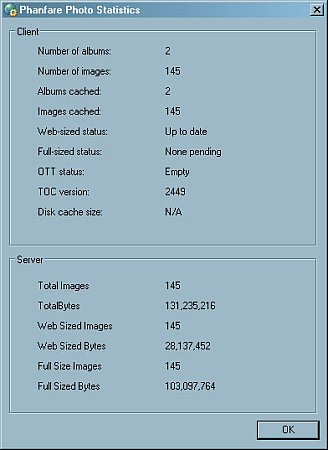 |
| Statistics |
And since you're paying on an annual basis, your albums stay up, too. With the full-resolution images. Think of it as an off-site backup. If your hard disk dies, you don't lose all your images. You just launch Phanfare Photo on another computer and your Web-sized photos will re-sync with the application, downloading the images again to your computer. You can manually download the full-res images, too. And if you ever leave Phanfare, they promise to send you a DVD of your images. Or three.
WHO ARE THESE GUYS? | Back to Contents
When someone makes a promise like that, we like to look into their background.
Co-founder and CEO Andrew Erlichson received his AB from Dartmouth and his MS and PhD in Electrical Engineering from Stanford. Prior to Phanfare, he was CEO and Founder of Flashbase, which was acquired by DoubleClick in 2000. At DoubleClick, he was vice president of technology for the research and development group. He has worked at Mips Computer Systems, Silicon Graphics and BlackRock Financial Management.
Fellow Co-founder and CTO Mark Heinrich received his BSE from Duke and his MS and PhD in Electrical Engineering from Stanford. Prior to Phanfare he was Founder and CTO of Flashbase. He was formerly a professor in the School of Electrical and Computer Engineering at Cornell and is currently a professor in the School of Computer Science at the University of Central Florida, where the winters are warmer. His research focuses on flexible architectures for multi-threaded high-throughput computing.
They created Phanfare because they wanted "private, permanent, polished, unbranded online photo albums. Simultaneously, we wanted to drastically simplify the time and effort required to create and maintain our albums and consolidate our entire workflow in the process." Phanfare is "simply the end result of what we wanted to make the process of creating our own online albums fun again!" The service, which offers a free 30-day trial, welcomed its first paying customers in Nov. 2004.
SYSTEM REQUIREMENTS | Back to Contents
Any Web browser can display your online albums. Big plus.
But Phanfare Photo, the application you run on your computer, requires Windows 98/ME/NT/2000/XP, all of which support the Microsoft .NET framework used to upload images and sync albums. Phanfare recommends a 300-MHz Pentium II class processor or faster, at least 128-MB RAM and 512-MB of free disk space. Phanfare Photo will work over a dial-up connection, but a broadband connection is much more feasible.
Oh, about that Mac version. Erlichson told us, "We have now carefully analyzed the development time for the Mac version, and moved it up our priority list. I can say with confidence that we will have a Macintosh version of Phanfare Photo within six months."
According to the member agreement, "total network traffic is limited to 10-GB per user per month." A lot. But there is "no limit on the amount of storage you can use for personal use."
SECURITY | Back to Contents
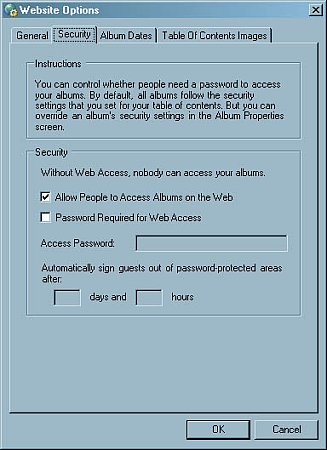
By default, albums are not password protected. But it's simple to add password protection. Choose Share then Web site Options in Phanfare Photo, click the Web site tab and at the bottom check the box that says Password Required for Web Access. Enter the password and click OK. Phanfare Photo adds the protection to your online album immediately.
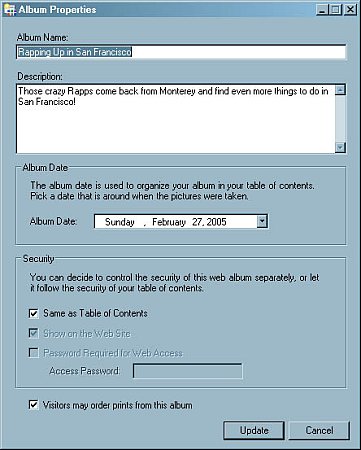 |
| Album Properties Note the checkbox and text field for setting a password |
If you do set a password, it is automatically included in any email invitations to view the album that Phanfare Photo sends. And you can set how long a visitor can view your album before they have to reenter the password.
EDITING ORIGINALS | Back to Contents
Phanfare Photo also includes basic image editing tools to enhance images and handle the most common digital photography faults. These include cropping and rotating. But they extend to auto levels, red-eye correction and brightness/contrast control.
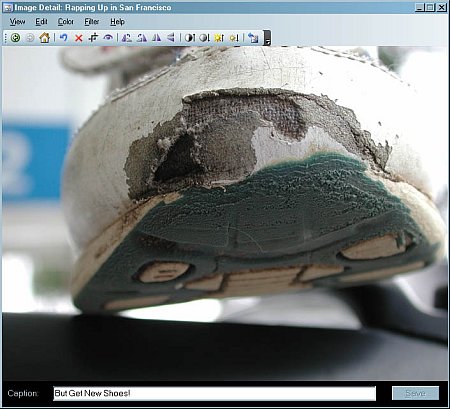 |
| Editing an Image If only we could edit the real thing! |
Changes are only made to copies of your originals, which Phanfare Photo creates. A copy of the original is also kept by the application in case you want to revert to your original. In our case, we actually imported images from a CD and edited them. Naturally, the CD could not be overwritten, but Phanfare Photo had no problem with that since it merely copies the source files.
ALBUM STYLES | Back to Contents
While you can't create your own Web page style, Phanfare does offer a variety of album styles. The active one is displayed in the main window. They're simple and uncluttered designs that work well, all of which include a nice slide show option.
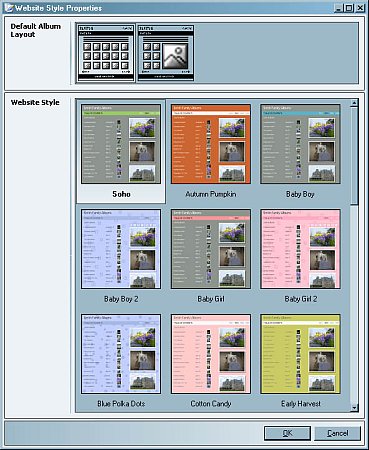 |
| Selecting an Album Style No custom options but attractive alternatives |
You select a color scheme, decide on a layout, select among a range of options for displaying key images, add your captions and that's about it.
We really don't have an issue with this approach. The pictures are the thing. And the slide show works very well, with a simple fade transition that displays your caption on top of the image.
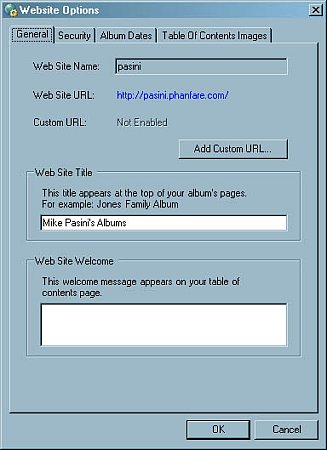
When we really wanted to change something in Phanfare, we always seemed to find an option somewhere in the program to let us do it.
 |
 |
|
| Site Options: General |
Site Options: Security |
|
 |
 |
|
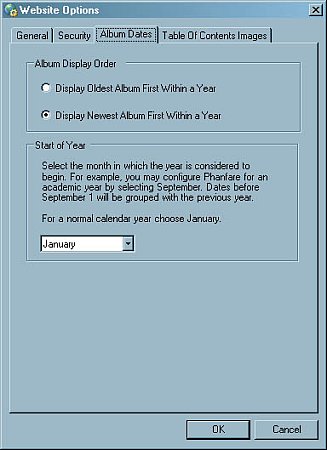
| Site Options: Album Dates |
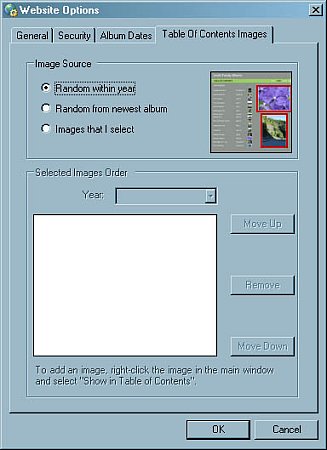
Site Options: Table of Contents Images |
|
SCHOOLS PROGRAM | Back to Contents
Phanfare also has the good karma thing going. It provides its service free to schools and non-profits "as a way to say thank you to the community."
Phanfare school accounts are "meant for teachers to post pictures to communicate with parents. Over time, the Phanfare albums become a living history of the school in pictures," the company points out. The system supports academic years, too, so albums from the same academic year appear on the same page of your table of contents.
So if you recently cut someone off in traffic, this might be a good way to restore the balance of the universe.
CONCLUSION | Back to Contents
For $29.95 a year, you get your own photo domain, no ads or foreign logos, offsite backup with automatic restore, large Web images with downloadable originals, unlimited storage, Web slide shows, email notification, integration with Shutterfly and, most importantly of all, the smoothest sharing workflow we've experienced.
It may not have saved us from the kids, but it certainly let us enjoy their visit more. And share our enjoyment effortlessly.
