
Genuine Fractals™: Addendum
Reviewer: David Halpern
Addendum:
This addendum has been written in response to those readers who questioned the
validity of my comparisons with Photoshop, and particularly with my practice
of enlarging in increments with Photoshop as opposed to using the conventional
one-step method. (Some readers have challenged the incremental method as being
very out of the ordinary or "Something I've never heard of." I said the same
thing when my instructor friend told me about it, but I am assured and have
been reassured that it came as technical advice from Adobe.) It is also written
to eliminate future misunderstandings that may result from my comments.
I have repeated all of the previous tests using the same image of the puppy that is shown in Figure 1. I have also made 8" x 10" prints of the test images and carefully compared them side-by-side. I have considered the criticisms of my findings that have been offered by some readers and tried to understand how those readers arrived at conclusions that differ from mine.
Please understand that this reviewer has no desire to malign Adobe Systems, Inc. or their Photoshop Software. I am a long-time user of Photoshop, depend on the product for a high volume of work and have very positive attitudes toward it. Having said that, I am also constantly searching for ways to improve my own "product" and I spend considerable time in research and experimentation. While I have offered high praise of Genuine Fractals (which is employed as a Photoshop plug-in), I realize changes in this industry come about rapidly and that work currently being done with, for example, wavelet transforms, may supplant this technology with something even better. I always welcome to the comments and criticisms of others. While I always attempt to be fair in my comparisons, I certainly do not consider myself infallible.
The Results of My Review:
I stand behind my earlier comments and observations, and hope it is understood
that my comments, like those of any reviewer, are only a guide or a starting
point for the reader's independent analysis. If you are inclined to attempt
the incremental enlarging method I used in Photoshop, you are advised to try
using different increments to see how this affects your images. You should remember
that different cameras produce files with different characteristics as well
as their being of different sizes. With lower resolution files, you may find
that using a larger increment is preferable to the 1% increment shown in my
screen-shot examples. Please conduct your own experiments before making a final
judgment.
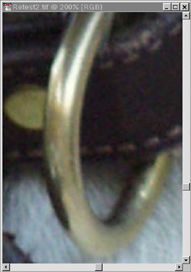
With these comments, I have provided a screen-shot showing the results of one-step enlarging (at 200% as in the first two examples). Most readers will conclude that there is little or no difference between this screen-shot and the GF example. Indeed that is the reaction I had initially and the one I expect from readers. This, also, is the reason why I made prints of all the test images for side-by-side comparison (Using my Epson Stylus Photo 1200 printer at 740 dpi). While all of the prints were very acceptable, my personal reaction still favors the GF STN file enlargement.
Exactly What My Test Included and What It Showed Me:
My four prints included:
- the image produced using 1% incremental enlargement in Photoshop,
- the image produced using 5% enlargement in Photoshop,
- the image using one-step enlargement in Photoshop, and
- the image enlarged from a GF STN file.
On the basis of sharpness alone, the test favored the Photoshop 1% method. I'm talking about edge sharpness and an image in which every detail is discernable -- every hair and stitch. Viewed at a distance of 3 feet, this image jumps out at you. Up close, it looks the most like an image "made on a computer," though it has no "jaggies".
On the basis of an overall comparison, in which there is a balance between the qualities of sharpness and smoothness (continuous tone), my preference, which I submit is a subjective one, was for the GF version. The sharpness of this image was still what I'd call "excellent."
The Photoshop one-step enlargement was the "softest" of the 4 images, still very acceptable, but not as critically sharp as I'd prefer. That leaves the 5% enlargement, which I found to be closest to the GF image. Each set of eyes will see this comparison differently, however.
Based on these conclusions, do you really need GF?
This is a reasonable question and I will try to answer it as fairly
as I can. If you are at all like me, a photographer who produces a large volume
of images and who works with these across several platforms, you will find definite
advantages in using GF as a plug-in to Photoshop. Bear in mind that enlarging
is a vital concern to those of us working with pro-sumer digital cameras, but
it is only one concern. GF enables you to save one master file of each of your
images, using lossless (or near lossless) compression, and then reproduce that
file in virtually any size you wish without having to resize, reapply unsharp
masking, and save additional copies. I realize that memory is very affordable
these days and disk space is not a problem to a lot of you, but I have a 13-gigabyte
hard drive and I still find it valuable to save all my images to cataloged CD
ROMs. I output images for clients and for my personal use and regularly use
the same images in several different programs. It would be very easy for me
to accumulate many "duplicate" image files of different sizes.
Each of us has to decide what we "need" and what we can "get by without owning." Obviously I can't tell you that you need GF. I can only give you my considered opinion and say that if you choose to use it, I believe you will like the results you achieve with it.
A Few Words of Caution:
If you try to evaluate GF using one of the free program trial downloads from
the Altamira site, bear in mind that the trial version will not let you save
a file large enough to permit replicating the comparisons I have shown. On the
other hand, if you are a knowledgeable Photoshop user and photographer, you
should be able to use the trial version to see the potential of the software.
Finally, when you use the Photoshop incremental enlarging method, please don't use any of the sharpening tools before you do your enlarging. Photoshop users should know that sharpening is the last step before reproduction, but it bears repeating.
For More Info:
For more information (including an on-line demo of the product), visit the:
Lizard Tech Web site.
Back to Original Genuine Fractals Review
